Wedding Weekend Photo Sharing: One Album or Separate Collections?
Choose one wedding weekend album or separate collections. Plan guest groups, gallery visibility, photo allowances, invitations, and upload deadlines.
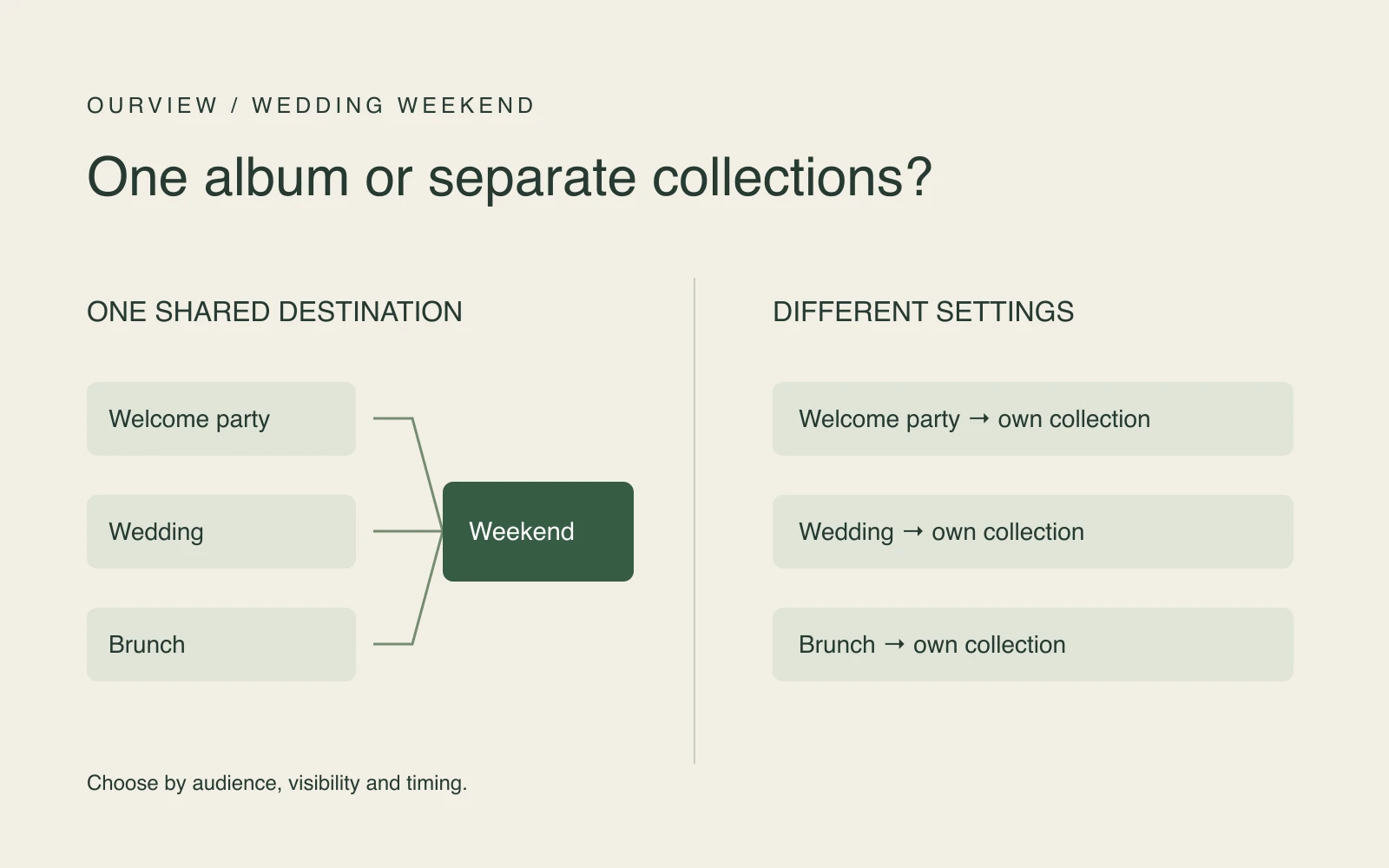
Use one wedding weekend album when the welcome party, wedding, and brunch can share the same gallery visibility, photo allowance, and upload deadline. Choose separate collections when those settings need to differ. A smaller guest list alone does not require a separate album; a different audience for the photos may.
We publish Ourview. This guide uses its application code reviewed on November 16, 2026. The weekend below is an editorial planning example, not a wedding we tested. We did not run a live multi-day event or upload test for this article.
Decide who should see the collection
Start with the audience, rather than the number of dates on your invitation. If everyone may see photos from all three gatherings, one shared collection keeps the invitation simple. Reuse its guest link and QR throughout the weekend.
Separate collections make sense if, for example, welcome-party photos should be shared only with that gathering's invitees, while the wedding album goes to the full guest list. Each collection needs its own invitation, settings, capacity, and download plan.
An Ourview invitation is a link people can forward. It is not a named guest access list. Someone who receives it may be able to join while joining is available and capacity remains. Separate collections help you distribute different invitations, but they do not prevent recipients from forwarding them.
| Your requirement | One collection | Separate collections |
|---|---|---|
| All contributors may see the whole weekend | One shared gallery can fit | More invitations to manage |
| Different groups should receive different galleries | A single shared gallery does not separate them | Use a separate invitation for each collection; explain forwarding limits |
| Only the hosts should see submissions | One host-only collection can fit | Useful if other settings also differ |
| Different upload deadlines or gallery opening times | One set of event settings applies | Set each event independently |
| Photos should simply be collected in one destination | One link throughout the weekend | Name every destination clearly to reduce wrong-album uploads |
In Ourview, a host-only collection accepts guest contributions without opening the gallery to guests. A shared gallery can open immediately or after a scheduled reveal. A reveal delays gallery access; it does not sort photos into days or limit access to a particular gathering's guests. See the guest access guide for the host and guest distinction.
A three-gathering weekend you can adapt
Here is a fictional weekend with 25 welcome-party contributors, up to 100 wedding contributors, and 25 brunch contributors. Both smaller groups are subsets of the wedding group. Assume the couple wants everyone to see the whole weekend after Sunday brunch.
For that choice, all three rows use one shared event, starting Friday, with gallery reveal on Sunday at 3 p.m. and uploads closing Monday at 8 p.m. All times refer to the venue's chosen time zone. These are suggested times to adapt, not required settings.
| Gathering | Contribution group | Gallery visibility | Invitation | Responsible person | Upload closing time |
|---|---|---|---|---|---|
| Friday welcome party | 25 people, within the wedding group | Shared; opens Sunday at 3 p.m. | Weekend link A | Welcome-party helper | Monday, 8 p.m. |
| Saturday wedding | Up to 100 people | Same gallery and reveal | Same link A | Wedding photo helper | Same Monday deadline |
| Sunday brunch | 25 people, within the wedding group | Same gallery and reveal | Same link A | Brunch helper | Same Monday deadline |
“Link A” is a planning label, not a working invitation. Replace it in your own notes with the actual guest link. You can copy and adapt this table for your event planning; it is not an in-app scheduler or an album export.
If welcome-party photos should stay with that smaller group, give Friday a separate event and invitation B. Choose its visibility, reveal, deadline, and capacity independently. If brunch needs another audience, repeat that decision for Sunday. A participant joining separate events joins each collection separately; do not assume the name or photo allowance transfers between them.
A host-only weekend collection is another option if guests should contribute but should not browse one another's photos. Choose that deliberately and describe it in the invitation.
Count people across the weekend, not seats at every gathering
For the single collection in this example, 25 + 100 + 25 is not a requirement for 150 contributor places. The smaller groups are already within the 100-person wedding group. Plan for the distinct people who should be able to join the event, including rehearsal participants. If someone joins from a different browser or device, do not assume their previous participation will be recognized; rehearse the return flow before relying on it.
The photo allowance also belongs to the participant within the event, rather than to each calendar day. With a 25-photo allowance, a guest who uses 10 on Friday has 15 left for the rest of that event. Saturday does not reset it. Unused allowances are not a shared pool for other guests.
For separate events, choose capacity and photo allowances for each event. Separate paid events have separate charges; there is no combined weekend package implied by this plan. The photo-sharing budget guide explains capacity and allowance choices without requiring you to estimate a participation rate.
Set three different timing decisions
Event start and storage. Choose the start to match the beginning of the collection you are planning. Ourview storage lasts 90 days from the event start, not from the last upload or the end of brunch. Separate events have their own start and expiry dates.
Upload closing time. Decide how long guests should have to contribute after returning home. A Monday evening deadline is one option for a Sunday finish. Upload closure and gallery access are separate settings: closing uploads does not itself hide a shared, revealed gallery. Both remain subject to event availability and storage expiry.
Gallery reveal. Decide when guests should be able to browse, if you choose a shared gallery. In the example, Sunday at 3 p.m. opens the gallery while contributions remain open until Monday evening. A host-only collection does not become shared merely because a reveal time has passed.
Use the event's selected time zone when setting and communicating times. Ourview's schedule validation requires reveal and upload-closing times to be on or after the start and no later than storage expiry. Changing a deadline or reveal is not a way to extend retention.
Put the right invitation at each gathering
For one collection, keep the same guest QR and link on Friday, Saturday, and Sunday. Say that it covers the whole weekend, who can see the photos, and when uploading closes. The wedding photo collection guide covers the general setup and follow-up.
For separate collections, label signs and messages with the gathering name. Give each helper the correct guest invitation, and check the destination before printing. A welcome-party card should not accidentally open the wedding event. Never substitute a host management URL for the guest invitation.
The host signs in to create and manage an Ourview event. Guests join in a browser by entering a name without creating an Ourview account. Returning to the same collection relies on the guest browser credential, rather than a cross-event guest account. Keep the invitation handy and try returning in the same browser during your rehearsal.
Rehearse the plan, then name the archive owner
Before distributing invitations, check the setup outside your host session. These are suggested checks for your own event, not live tests we performed.
- Open every invitation. Confirm its event name, intended audience, visibility, and deadline. For separate collections, check every distinct link.
- Try one guest contribution and return visit. Confirm the photo arrived and the gallery behaves as intended. Rehearsal participants use capacity, and test uploads use their allowance.
- Check the whole-weekend allowance. Make sure Friday's contributions will not leave an unexpectedly small allowance for Saturday. Pick a suitable allowance before inviting everyone.
- Compare reveal and closure. Verify the actual time zone and settings, including whether guests should see the collection before uploads close.
- Assign the download. Name the host responsible for saving and checking each collection before its storage expires.
For an accessible event that is neither frozen nor expired, the host can use Download all to save ready photos available from storage. Missing storage objects can be skipped, so inspect the archive. Use the download and backup guide for that handoff rather than treating the event as permanent storage.
Once the audiences and timing are clear, choose your wedding photo-sharing setup. Keep one collection when its settings suit the whole weekend; create separate ones when a specific difference makes the extra invitations worthwhile.