Wedding Photo Scavenger Hunt: Ideas + Free Printable Card
Choose from 12 optional wedding photo scavenger hunt ideas. Download free A6 and 5 x 7 PDF and editable SVG cards, then add your own invitation QR.
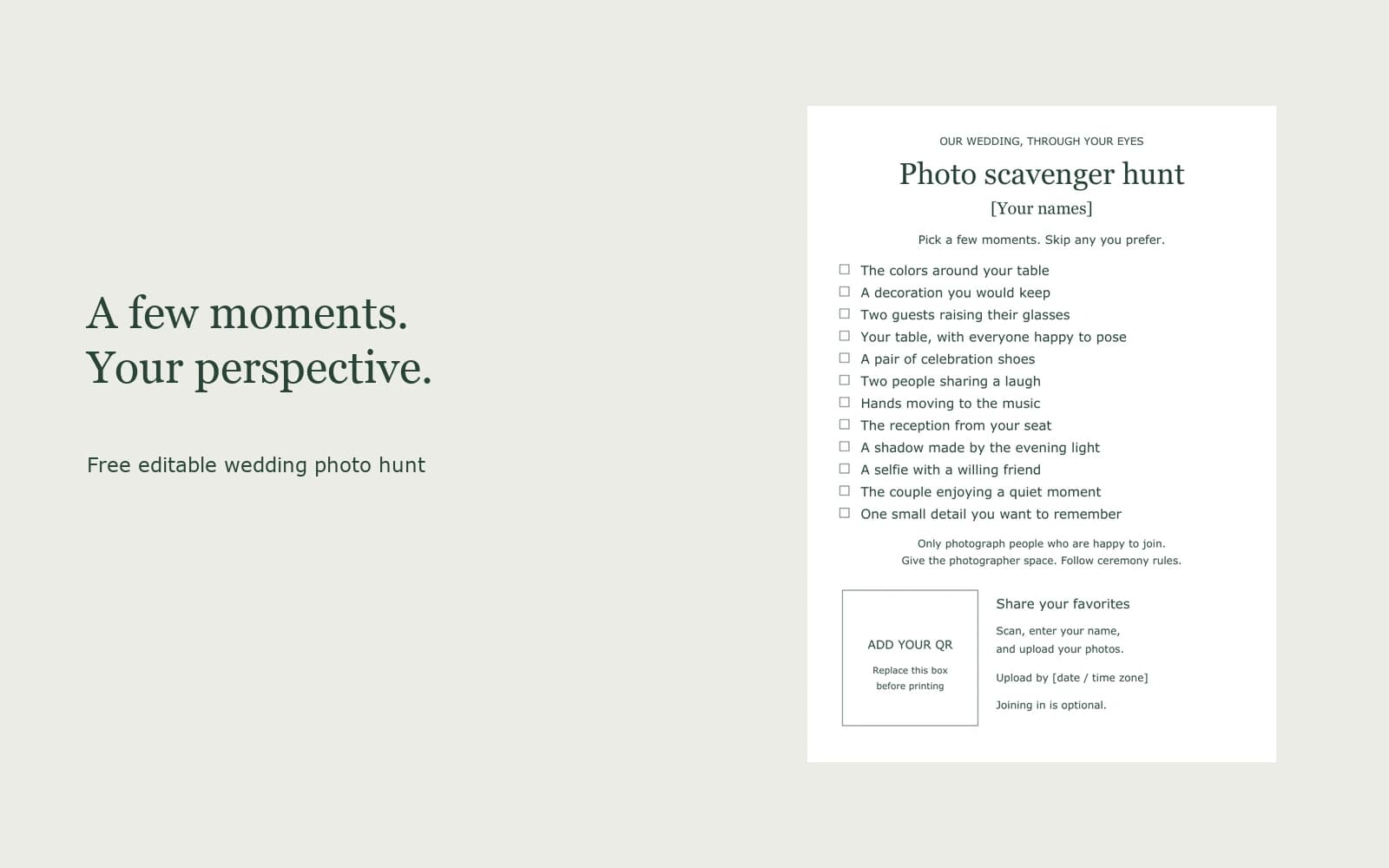
A wedding photo scavenger hunt gives guests a short list of moments to photograph during the reception. Keep it optional: invite them to choose a few prompts, then share their favorites through your wedding album link or QR code. Below are 12 original ideas and a free card in A6 and 5 × 7 inch sizes, with editable SVG and PDF downloads.
These are blank templates. Add your names, upload deadline, and your own guest invitation QR before printing. The downloads are free; creating an album is separate and may have capacity or photo limits.
Twelve moments to look for
Use these as suggestions rather than a list everyone must finish. The card contains the same prompts, so guests can check off the ones they choose.
- The colors around your table. Frame napkins, flowers, or stationery together.
- A decoration you would keep. Pick one detail that feels personal to the couple.
- Two guests raising their glasses. Ask before taking their photo; drinks needn't be alcoholic.
- Your table, with everyone happy to pose. Leave out anyone who would rather stay off camera.
- A pair of celebration shoes. Ask the wearer first, and keep the shot to the shoes.
- Two people sharing a laugh. Don't interrupt the conversation to stage a reaction.
- Hands moving to the music. Try a detail instead of stepping into someone's dance space.
- The reception from your seat. Find a view without blocking an aisle or standing on furniture.
- A shadow made by the evening light. A chair, plant, or glass can be enough.
- A selfie with a willing friend. One photo together is plenty.
- The couple enjoying a quiet moment. Take it from where you are, only if photography is welcome; skip it if they need privacy.
- One small detail you want to remember. Choose something the other prompts missed.
These are editorial ideas, not a tested participation formula or a professional shot list. Leave the photographer room to work, follow any unplugged ceremony rules, and don't ask guests to photograph strangers, children, or anyone uncomfortable with the request. If a prompt doesn't fit your wedding, change it in the editable card.
Download the free printable card
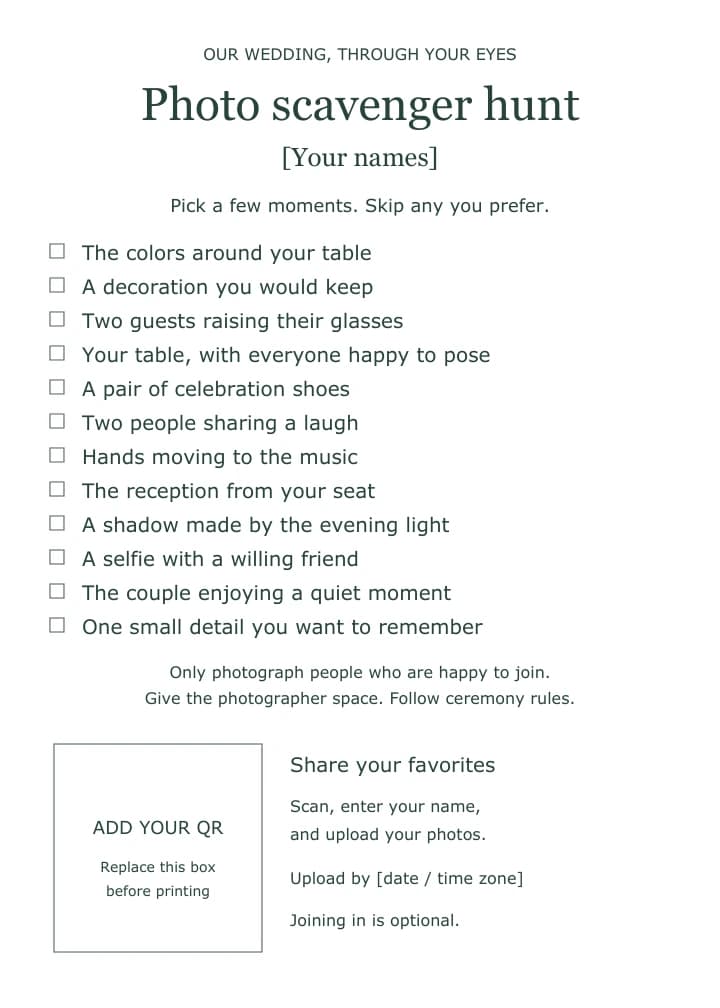
One design, two portrait sizes: A6 (105 × 148 mm) and 5 × 7 inches (127 × 177.8 mm). Both have a white background, dark green text, checkboxes, and a clearly labeled QR placeholder. No email address or account is needed to download.
| Card size | Editable SVG | Static PDF |
|---|---|---|
| A6 | Download A6 SVG | Download A6 PDF |
| 5 × 7 inches | Download 5 × 7 SVG | Download 5 × 7 PDF |
Start with the SVG to change text and add your code. The PDF is a static layout, not a fillable form; it needs a PDF editor to replace text and add images. Neither supplied version is ready for guests until personalized.
Use terms: Free to download, edit, and print for personal events. You may share the files with the designer or printer preparing your stationery. Do not resell them or redistribute them as a template collection. Attribution on the finished card is optional. Keep the instructions and use terms with the files.
Personalize your card
Prepare an album guest invitation, your names, and an upload deadline before editing. For Ourview, follow the wedding photo QR setup guide if you haven't created an invitation yet.
- Open the SVG in a vector editor. Keep an untouched copy. Text uses Georgia and Verdana; check line wrapping if your editor substitutes fonts.
- Replace [Your names] and [date / time zone], and edit any prompts that don't suit the reception. Keep the deadline consistent with your album's upload settings.
- Delete the entire qr-placeholder group, including its outline and labels. Insert your guest invitation QR in its place. Embed the QR image so the saved card doesn't depend on another file.
- Keep the code square, dark on white, and clear of text. DENSO WAVE specifies four modules of blank margin on each side; a module is one small square of the code. The placeholder is about 31 mm across on A6 and 37 mm on 5 × 7, including the margin. Those are layout sizes, not a scanning guarantee.
- Save the edited SVG and export a PDF at the original page size. Check every line and the QR before printing. For editor steps, see Inkscape's image import and PDF export documentation.
In Ourview, the host's Invite guests panel contains the Guest link and its QR. Use that invitation rather than the host dashboard address. Replacing the invitation link invalidates the old QR, so update your cards too. Ourview doesn't generate these printable cards, score the hunt, or track completed prompts.
Try one card before printing the batch
Print at Actual size / 100%. The files have no bleed or crop marks; ask your printer about their requirements if ordering professionally. Measure the card and check that the smallest text is comfortable to read.
Remove all bracketed text and the QR placeholder labels. Scan the personalized print using available phones in the lighting and holder you plan to use. Confirm the code opens the correct guest invitation, then try joining and uploading a photo. If scanning is unreliable, enlarge the code or use the larger card; don't remove its blank margin.
Ourview guests enter a name in their browser without creating a guest account; the host signs in to manage the event. New test guests use capacity, and test uploads use the photo allowance. Wait for the upload to show Shared, then check the host received it. The blank downloads cannot validate your event link or settings.
Keep the reception invitation light
Place a card where guests can read it while seated. Choose a reception window when phones are welcome, rather than making the hunt part of a ceremony or interrupting speeches. One card per table can be enough for people to share the ideas; guests can use the same invitation from their own phones.
You can introduce it with:
If you'd like to join our photo hunt, choose a few moments from the card. Skip anything you prefer. Scan the code to share your favorites by [deadline and time zone]. Thank you for helping us remember the little details.
Check your album's photo allowance before asking for twelve uploads per person. Guests can choose a few prompts even when a lower limit applies. Gallery visibility and reveal settings also matter: don't promise that guests can browse everyone's photos if you've chosen a host-only collection or a gallery that opens later. Invitation links can be forwarded; share them with that in mind.
For an upload sign alongside the game, use the wedding photo sign wording and templates. To collect the resulting pictures, explore Ourview wedding photo sharing and choose the capacity and gallery settings that fit your celebration.